Submission Guidelines
Follow these instructions to successfully submit your generations to the SAHARA benchmark and appear on the leaderboard.
Understanding the Scoring
SAHARA Score: We calculate scores for each task based on their specific metrics. These scores are then averaged to produce the final SAHARA score.
Main Leaderboard: To be ranked on the main leaderboard, your submission must include generation files for all task-clusters.
Task Leaderboards: Submissions for individual tasks are ranked separately on their corresponding leaderboards using the task-specific metric.
Submission Status: Submissions are private by default but can be made public to appear on the leaderboards. Please note that all submissions are permanent and cannot be deleted.
File Formatting Requirements
Correctly formatting your generation files is crucial for a successful submission.
File Naming: Name each generation file using the format
{task_identifier}_generation.json.Note
Example: The generation file for the sentiment task must be named ``sentiment_generation.json``. You can find all task identifiers on the Tasks page.
File Content: Each row in the
.jsonlfile must be a JSON object representing the generation for a single data point. The order must match the original test set. The JSON object must have the following structure:{"lang_code": "bam", "generation": "B", "example_id": "0"}
lang_code: The language code from the original test set for that data point.generation: Your model’s generated output for the task.example_id: The index of the data point, starting from 0.
Compression: Compress all your
*.jsongeneration files into a single.ziparchive.Important
Zip the results files (
*.jsonl) directly. Do not place them in a folder and zip the folder.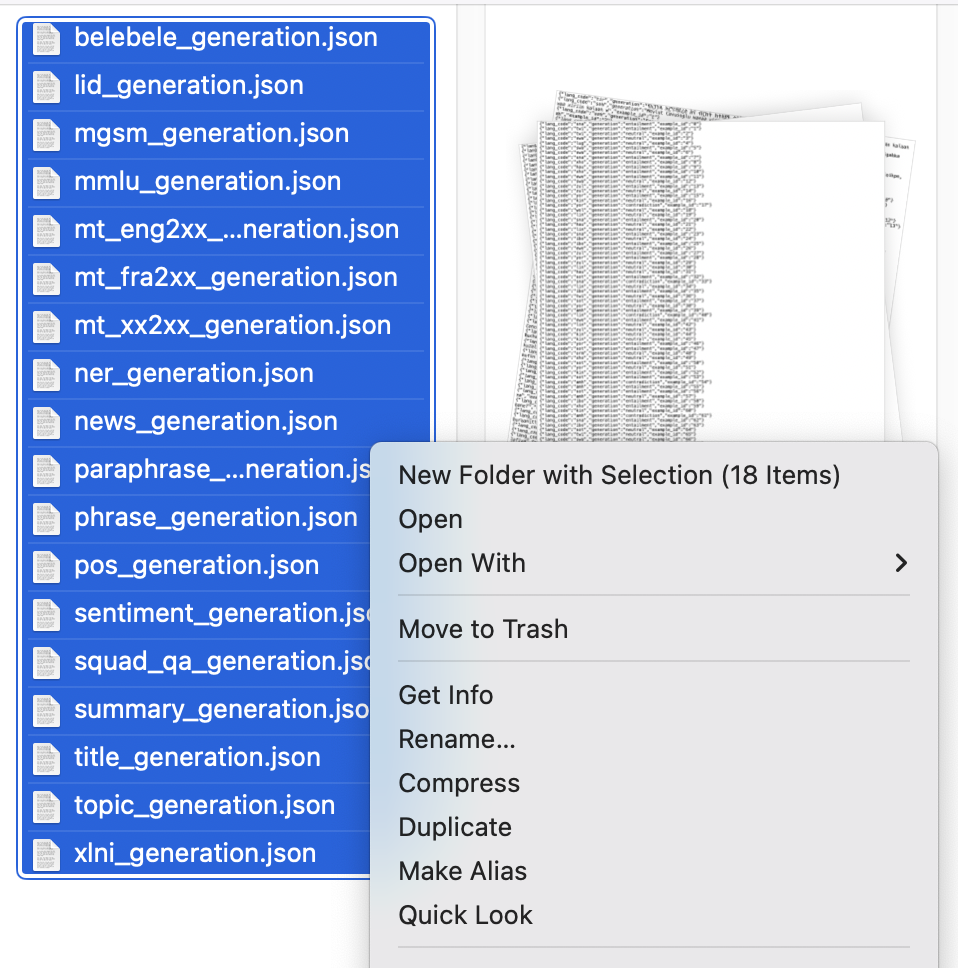
Step-by-Step Submission Process
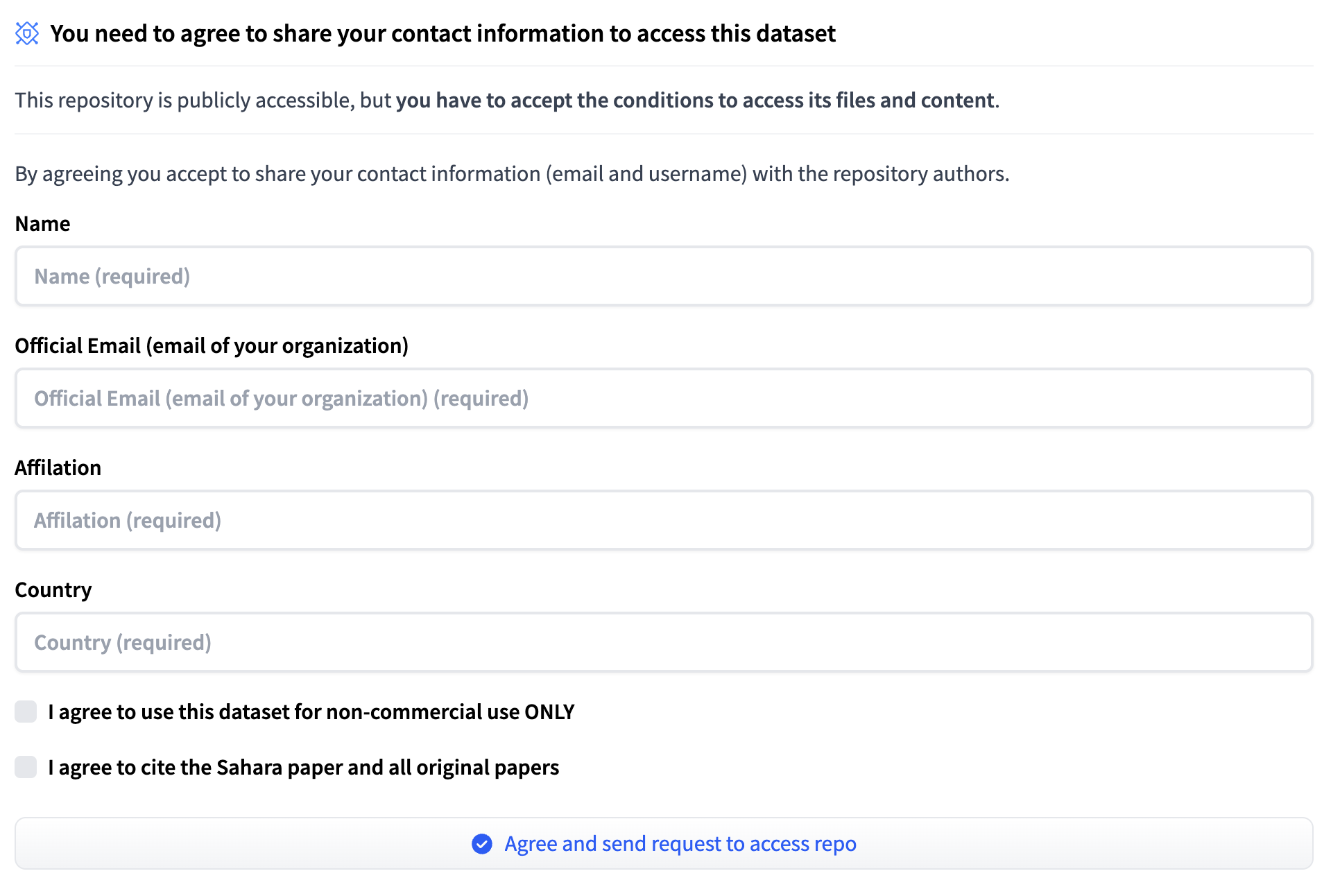
Get Dataset Access
To obtain access to the Sahara test set dataset, log in to your Hugging Face account and request access to the SAHARA Benchmark dataset by filling out the form as shown below.
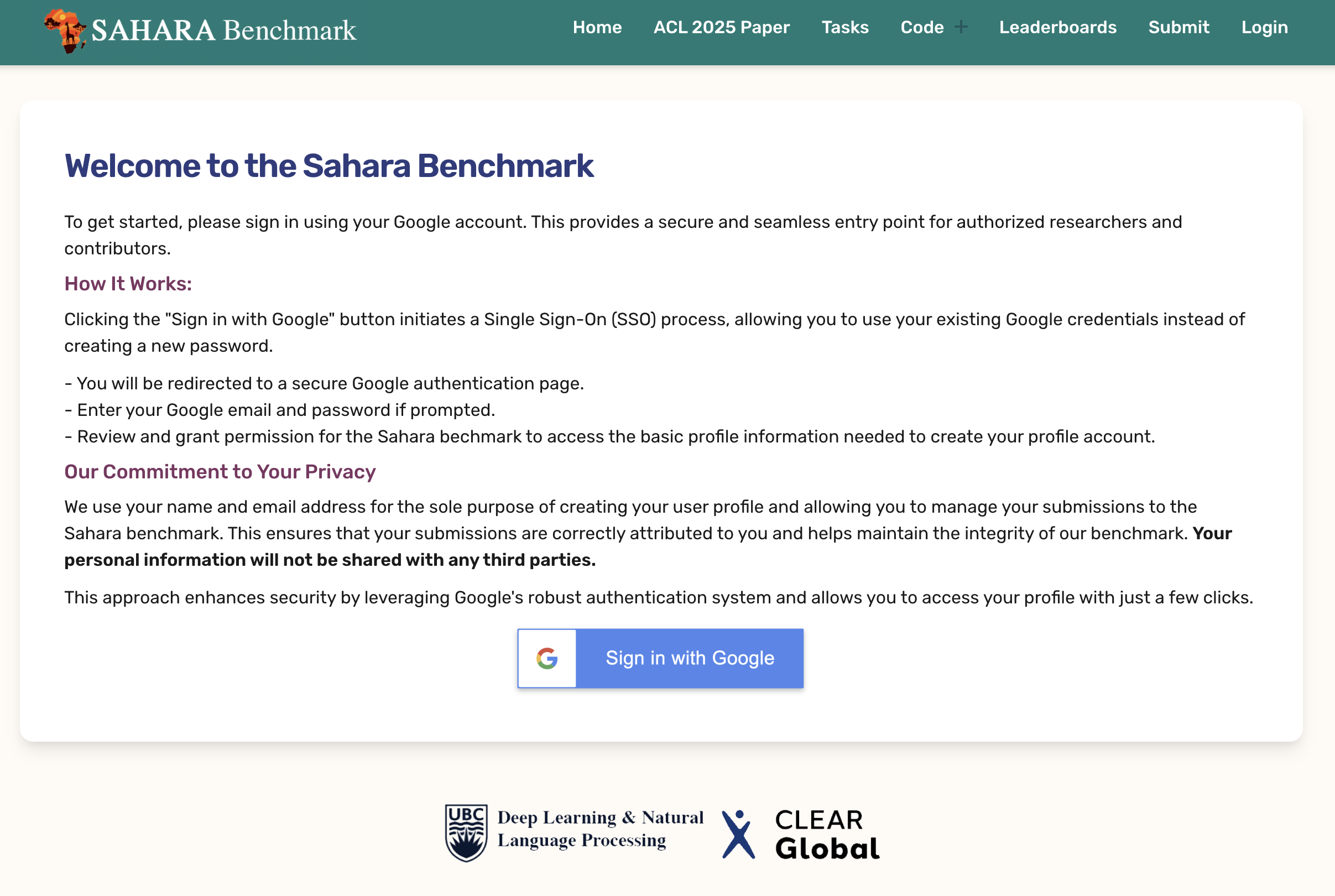
Create a Profile
Register for an account on the official SAHARA website.
Generate Files
Evaluate your model on the SAHARA test set and generate your files according to the formatting rules above. You can use our official evaluation script or your own.
Submit Your Results
Compress your generation files into a
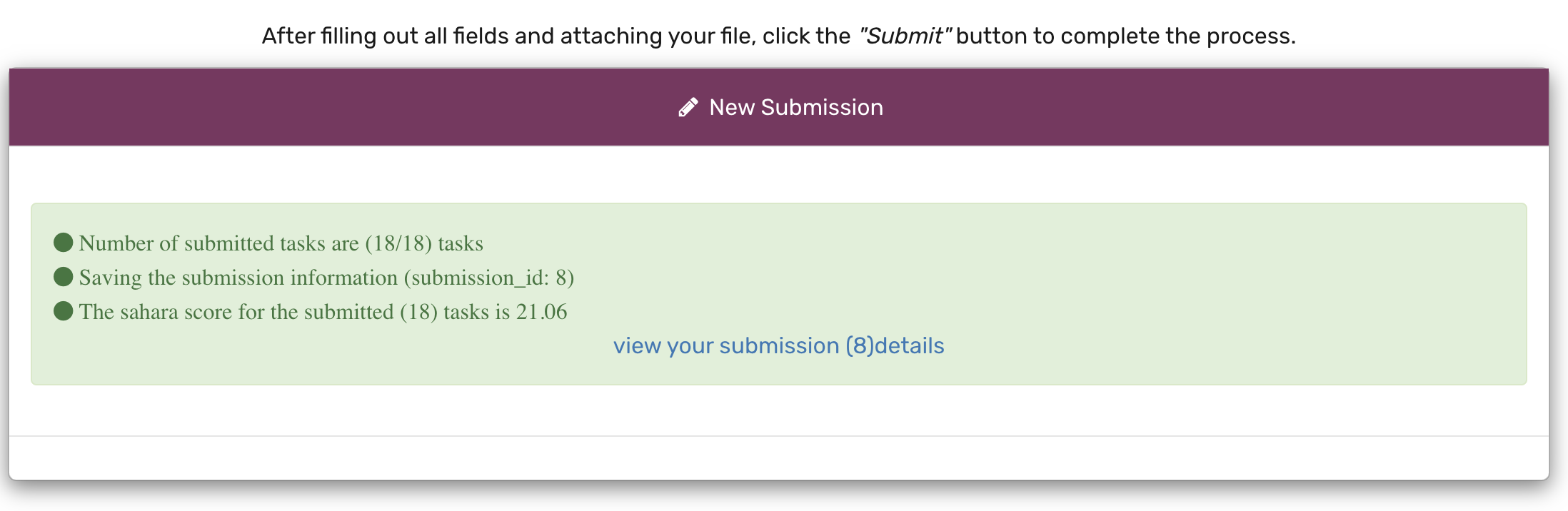
.zipfile and upload it through the submission portal on your profile (See file formatting requirement above).Fill out the submission form as shown below.
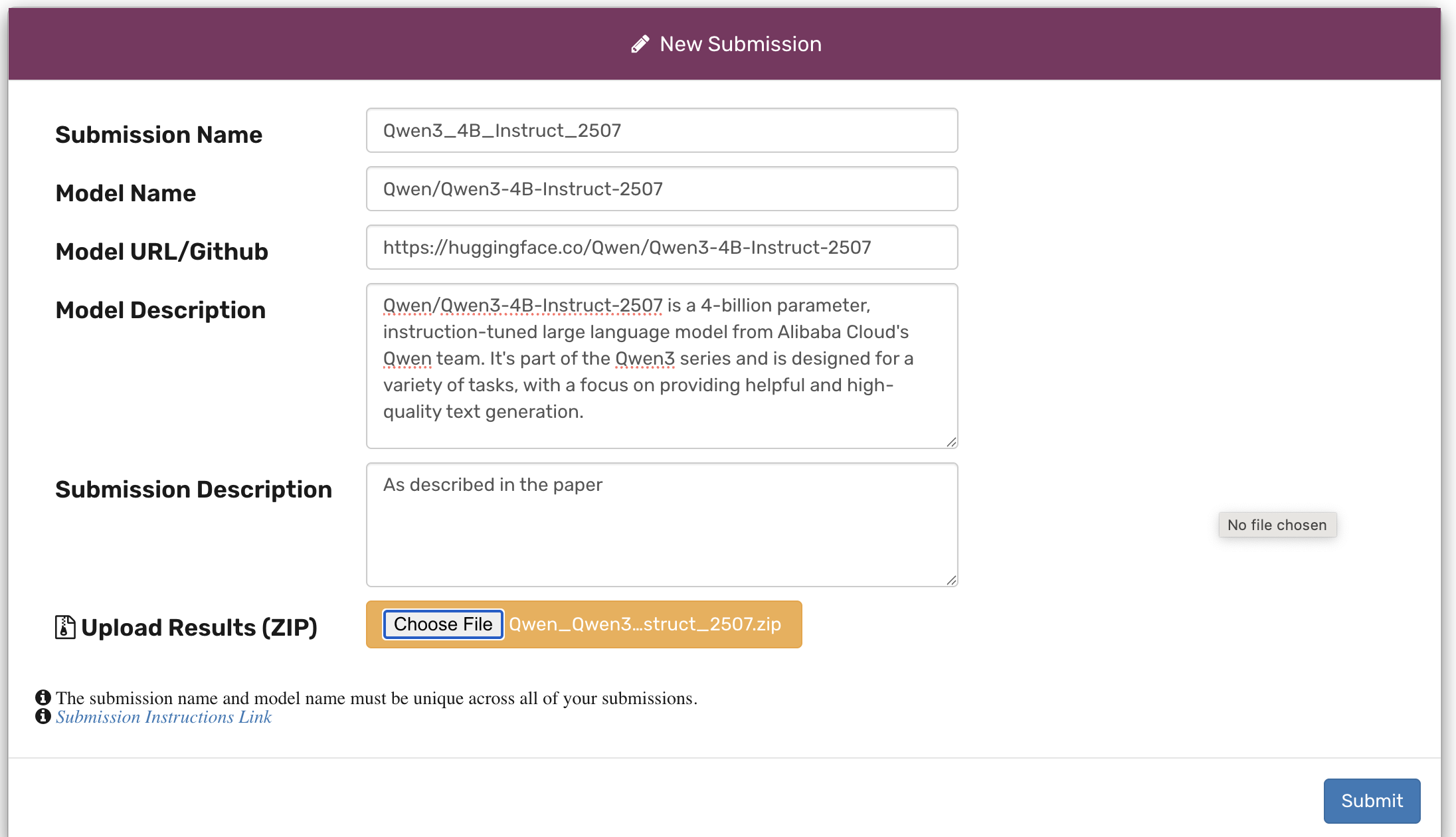
Once the submission is processed, you will receive an email notification with your scores and a link to view your results.
View Your Scores
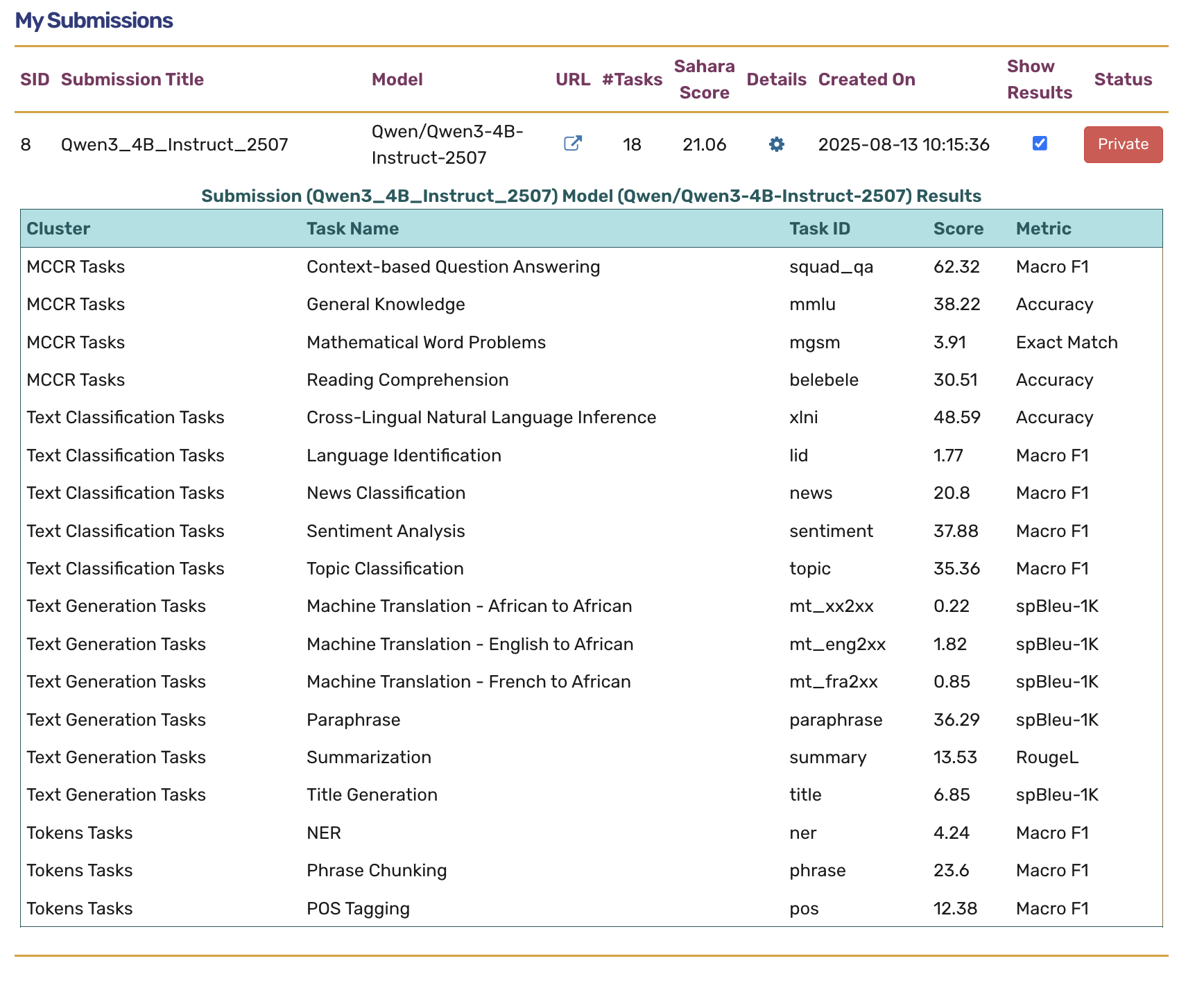
Once processed, you can explore your private results on your profile page.
How to Make Your Submission Public
All submissions are private by default. To make a submission public and have it appear on the main leaderboard, you must meet the following requirements:
The submission must include results for all 18 tasks required to obtain a Sahara Score.
The model must be publicly available on Hugging Face.
After meeting the first two conditions, please email us to request that your submission be made public.
Once your submission is approved to be public, it will appear on the main leaderboard as shown below.
